If you log over 100 hotel nights a year, the standard hotel Wi-Fi dance is one of the most frustrating rituals in business travel:
- You walk into your room and pull out your laptop, work phone, personal iPhone, iPad, Apple Watch, and streaming stick.
- You connect each device one by one to the hotel’s unencrypted public SSID (
Marriott_Guest,Hilton_Honors, orHyatt_WiFi). - You wait for the clunky captive portal page to pop up on each individual screen.
- You type in your last name and room number six different times—hoping the hotel doesn’t impose an arbitrary 3-device limit per room.
- And when you finally get online, every single packet you transmit is exposed to an open, unencrypted local area network where other guests and network sniffers can see your traffic.
As a systems engineer logging 100+ paid nights annually, I do not connect my devices to hotel networks directly.
Instead, I travel with a sovereign in-room networking kit anchored by a pocket-sized GL.iNet travel router. Within 60 seconds of walking into my suite, every device I own connects automatically to an encrypted, private local Wi-Fi bubble that mimics my home network.
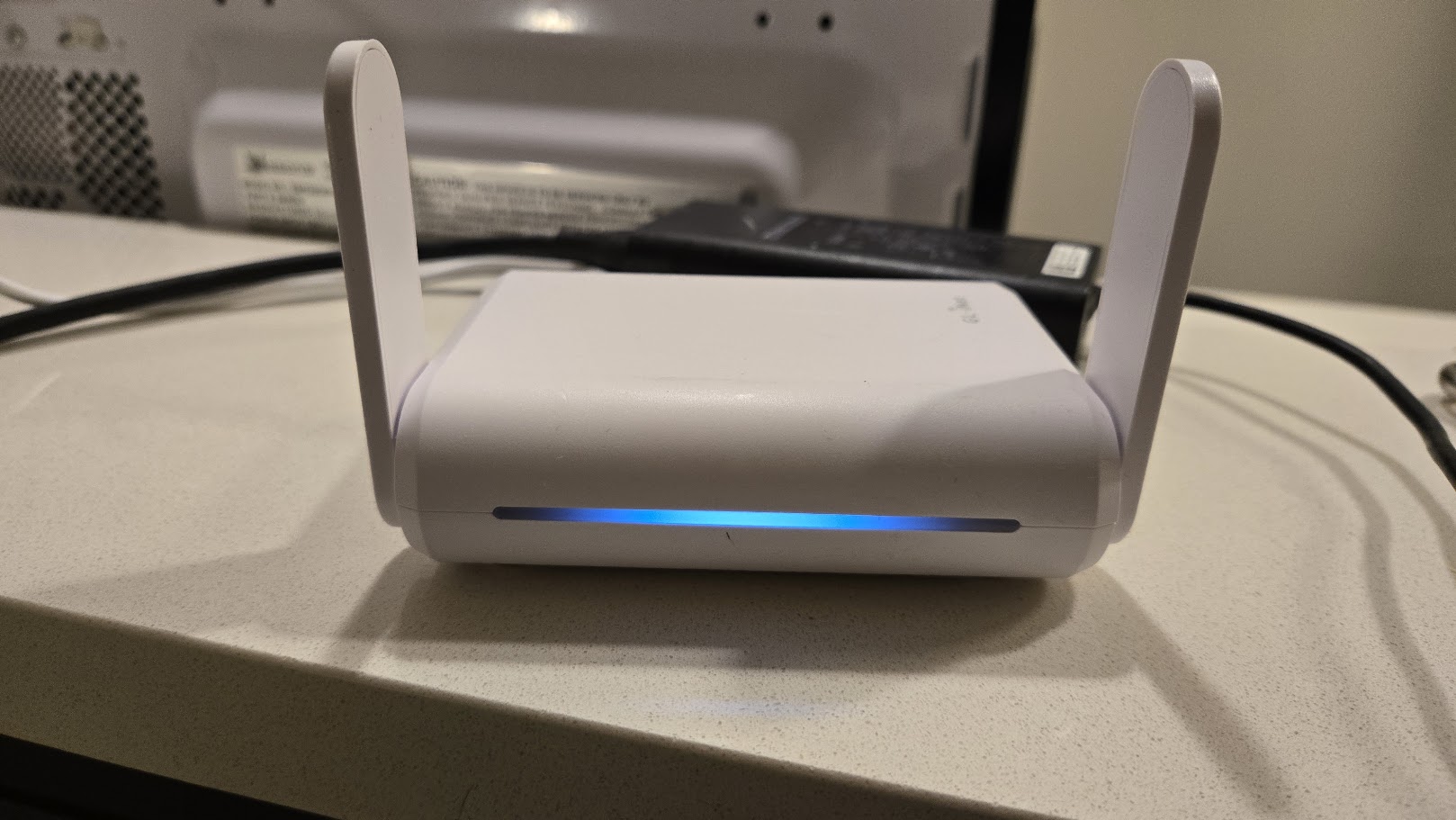
Here is the exact hardware, configuration, and operational protocol.
The Masterstroke: Clone Your Home Wi-Fi SSID & Password
The single highest-yield trick with a travel router is deceptively simple:
Configure your travel router’s 2.4 GHz and 5 GHz Wi-Fi networks with the exact same SSID (network name) and WPA2/WPA3 password as your primary home Wi-Fi network.
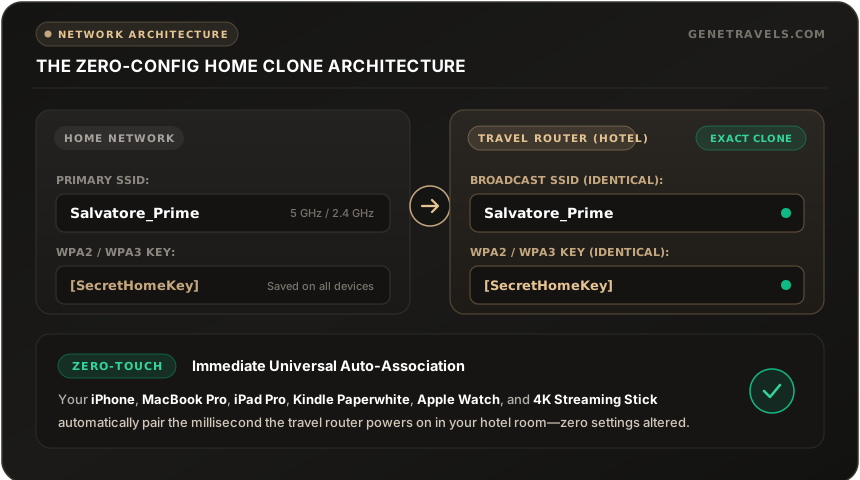
When you arrive at a hotel in Honolulu, Los Angeles, or London, you plug your travel router into a wall outlet or USB-C power bank.
The moment it boots, your laptop, phones, tablets, e-readers, and streaming devices instantly connect without you touching a single Wi-Fi settings menu. To your devices, they believe they are sitting in your living room.
How It Works: WISP (Wireless Repeater) Mode vs. Ethernet WAN
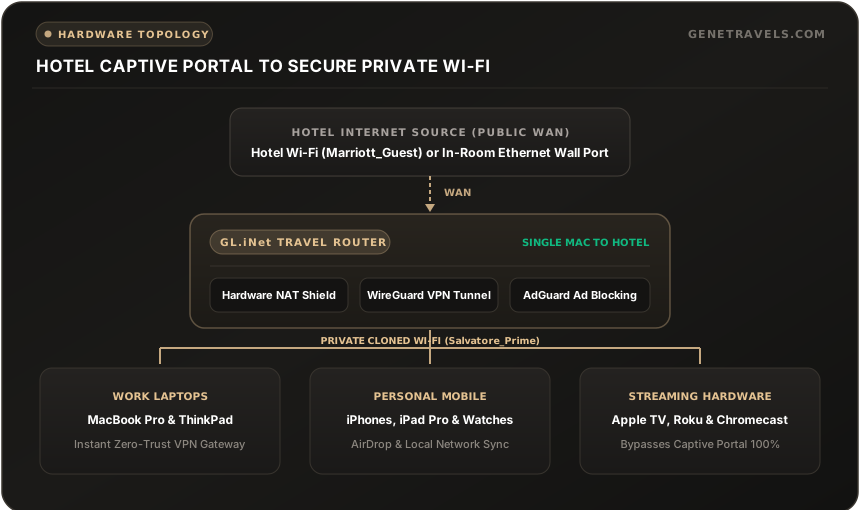
A travel router functions as an intelligent NAT gateway between the hotel’s infrastructure and your private personal devices. It connects to the outside world in one of two ways:
1. Wireless Repeater (WISP Mode) — The Standard Method
Most modern hotels no longer provide active Ethernet wall jacks. In WISP (Wireless Internet Service Provider) mode, the travel router’s external Wi-Fi radio connects to the hotel’s public Wi-Fi (Marriott_Guest) as its WAN interface, while its internal radio broadcasts your private Salvatore_Prime network to your room.
2. Wired Ethernet WAN — The Ultimate Speed & Stability Play
Whenever you find an active RJ-45 Ethernet port (often located on the desk connectivity panel or behind the bedside nightstand / media console), plug an Ethernet cable directly from the wall into the router's WAN port.
- This bypasses the congested in-room wireless frequencies entirely.
- It often yields symmetrical gigabit or 300+ Mbps throughput with near-zero latency.
Defeating the Captive Portal on a Single Device
The bane of frequent travelers is the hotel captive portal login screen. With a travel router, you only authenticate once for your entire entourage of devices:
- Power on the GL.iNet router and let your laptop connect to your private cloned Wi-Fi.
- Open your browser and navigate to the GL.iNet admin panel (
192.168.8.1). - Click Scan under Internet / Repeater, select the hotel’s network (e.g.,
Marriott_Guest), and click Join. - Open a fresh browser tab on your laptop and navigate to any non-HTTPS test page (like
http://neverssl.comorhttp://captive.apple.com). - The hotel's login page appears. Enter your room number and last name, or accept the guest terms of service.
- Done.
Because the hotel’s network only sees the single MAC address of the GL.iNet router, the hotel considers your "room" authenticated. Every other device connected to your travel router—your phone, tablet, smartwatch, and streaming box—is instantly online without ever seeing the portal!
Field Hardware: What I Actually Carry & Deploy
Over hundreds of hotel stays across the country, I have battle-tested multiple iterations of GL.iNet hardware.
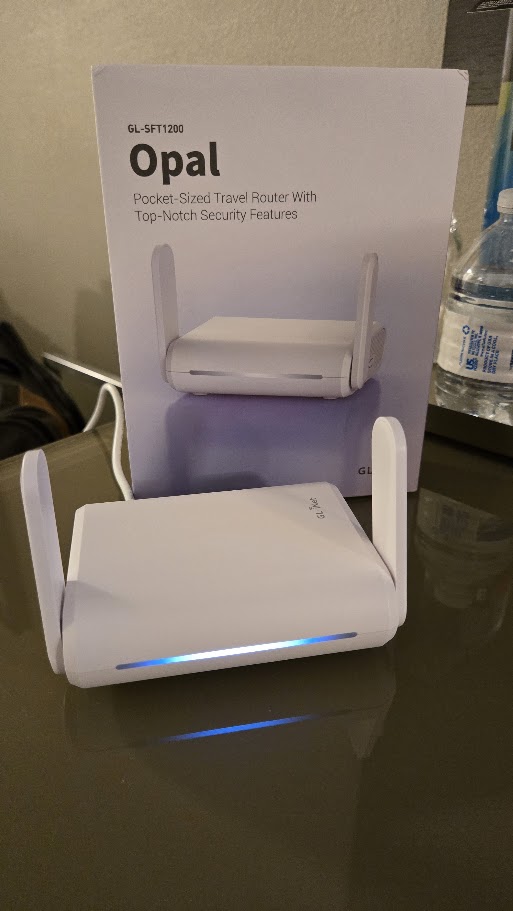
1. The Daily Driver: GL.iNet GL-SFT1200 (Opal)
The GL.iNet Opal (GL-SFT1200) is my go-to road warrior companion:
- Footprint: Weighs only 144 grams and fits effortlessly into any tech organizer pouch.
- Ports: 1 Gigabit WAN + 2 Gigabit LAN ports, allowing high-speed wired backhauls when available.
- Firmware: Powered by OpenWrt with full IPv6 support, Tor integration, and hardware-accelerated VPN clients.
- Dual Antennas: Fold flat against the chassis for travel and pivot vertical for strong room-wide 300 Mbps (2.4 GHz) + 867 Mbps (5 GHz) coverage.
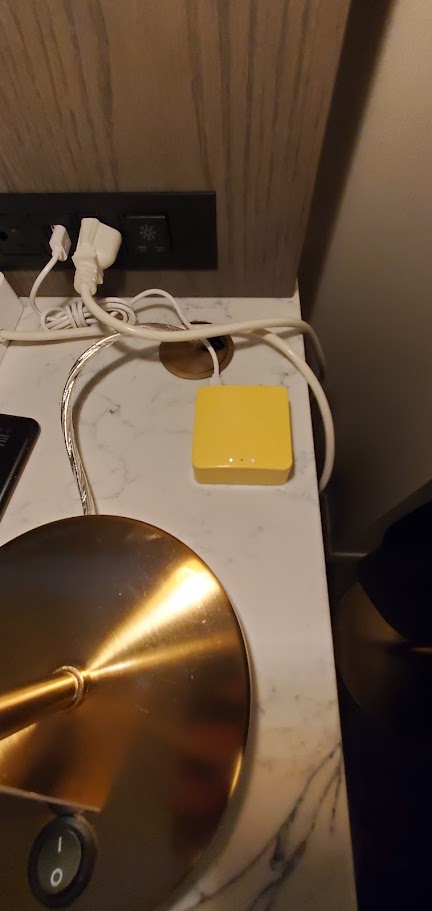
2. The Legacy Compact Champion: GL.iNet GL-MT300N-V2 (Mango)
Before stepping up to the Opal, the bright yellow GL.iNet Mango (GL-MT300N-V2) was my trusted field device across dozens of properties (shown above deployed on a marble nightstand next to the bedside lamp).
- Powered directly by a standard 5V micro-USB / USB-A port on the hotel lamp or alarm clock.
- Single-band 2.4 GHz, perfect for basic email, terminal sessions, and keeping streaming sticks connected without heating up.
- A fantastic emergency spare to stash in your glovebox or carry-on lining.
The Hotel Power Bottleneck: The Desktop Power Strip Solution
Having a rock-solid sovereign network means nothing if your devices run out of battery—and hotel room electrical engineering remains notoriously deficient.
As I documented during my Royal Palm South Beach Miami field audit, even newly renovated luxury properties often fail basic power ergonomics:
"The room did lack wall outlets in a lot of places and worse there was nowhere on the desk to plug in a power cord. We travel with small power strips and pulled out the fridge and plugged ours in back there."
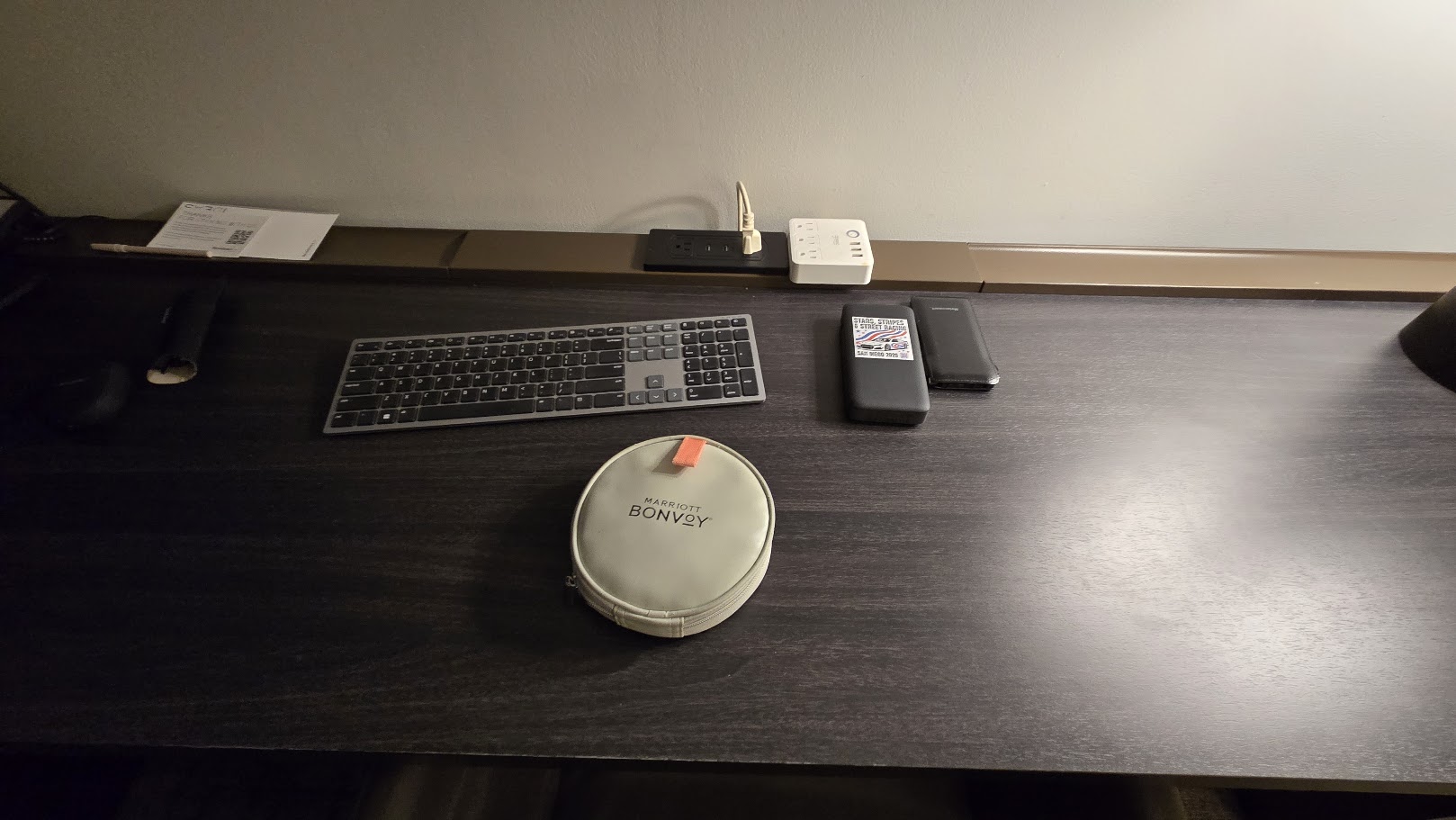
The Complete Executive Road Warrior Desk Kit:
- Compact Multi-Outlet Power Strip with Desktop Extension: A compact cube or bar with at least 3 AC grounded outlets and 2–3 high-wattage USB-A/C ports. A flat right-angle plug lets you slip behind heavy dressers, nightstands, or mini-fridges without damaging hotel furniture.
- Dedicated Marriott Bonvoy Gear Pouch: Keeps USB-C PD cables, short flat Cat 6 Ethernet cords, GaN chargers, and router power bricks organized in one grab-and-go case.
- Slim Travel Keyboard & Multi-Device Mouse: Low-profile mechanical or membrane keyboard to maintain ergonomic posture without hunching over a 14-inch laptop.
- Dual High-Capacity Battery Packs: Power banks ensure that even if the desk outlet loses power when you pull your hotel keycard from the room master slot, your router and phone keep humming without interruption.
The Cybersecurity Shield: WireGuard VPN & In-Room Isolation
Public hotel networks are notoriously hostile environments:
- Client-to-Client Snooping: Many poorly configured hotel access points fail to enable client isolation, allowing malicious actors on the same floor to probe open ports on your laptop.
- DNS Hijacking: Hotel captive portal gateways frequently intercept unencrypted DNS requests, redirecting or tracking every domain you browse.
- Fake APs / Evil Twins: In dense convention hotels, bad actors regularly broadcast spoofed SSIDs like
Marriott_Guest_HighSpeedto harvest credentials.
Behind a GL.iNet router, your security posture is night and day:
1. Built-In Hardware NAT Firewall
Your devices sit behind a hardware firewall. Nobody on the hotel network can scan, ping, or initiate connections to your laptop or phone.
2. Full WireGuard VPN Tunneling
GL.iNet routers feature native hardware-accelerated WireGuard and OpenVPN toggles directly in the firmware.
- You can configure the router to tunnel 100% of outbound in-room traffic directly back to your home router (via WireGuard) or a trusted sovereign VPN endpoint (such as Mullvad or Cloudflare WARP).
- The hotel ISP sees only a single stream of encrypted WireGuard UDP packets. They cannot see what websites you visit, inspect your traffic, or inject local ads.
3. Native AdGuard Home DNS Filtering
Most modern GL.iNet units come equipped with AdGuard Home pre-installed. Enabling it strips out malware domains, telemetric trackers, and invasive pop-up ads at the network level before they reach your screens.
Hardware Comparison Matrix
| Model | Wi-Fi Standard | Portability & Power | WireGuard Throughput | Best For |
|---|---|---|---|---|
| GL.iNet GL-SFT1200 (Opal) | Wi-Fi 5 (AC1200) | Dual Gigabit LAN + 1G WAN, ultra-compact | Up to ~65 Mbps | Gene's Field Pick — The sweet spot of pocket size, gigabit ports, and bulletproof stability. |
| GL.iNet GL-MT3000 (Beryl AX) | Wi-Fi 6 (AX3000) | Pocket-sized, fold-out antennas, USB-C powered | Up to ~300 Mbps | High-Bandwidth Road Warriors — Maximum Wi-Fi 6 speed for heavy file transfers and 4K remuxes. |
| GL.iNet GL-AXT1800 (Slate AX) | Wi-Fi 6 (AX1800) | Slightly larger, dual gigabit LAN + 2.5G WAN | Up to ~500 Mbps | Power Users & Digital Nomads — Heavy throughput, multiple wired devices, and maximum VPN speed. |
| GL.iNet GL-MT300N-V2 (Mango) | Wi-Fi 4 (N300) | Micro-sized, micro-USB powered | Up to ~15 Mbps | Ultralight Emergency Kit — Glovebox or secondary bag backup that runs off any USB port. |
In-Room Setup Checklist (60-Second Routine)
To make this effortless, keep your travel router, a 6-foot braided USB-C cable, a compact 30W USB-C GaN wall charger, and a flat 6-foot Cat 6 Ethernet cable together in a small dedicated pouch inside your carry-on bag:
- Plug In: Connect the router and your desktop power strip to the desk outlet or behind the bedside console.
- Scan: Connect via phone or laptop to your private cloned SSID, open
192.168.8.1, and connect to the hotel Wi-Fi. - Authenticate: Open
http://neverssl.comon your browser to pop the hotel’s room/name portal. - Arm VPN: Flip the physical toggle switch on the side of the GL.iNet router to engage WireGuard.
- Relax: Every device in your room is now online, encrypted, and streaming at full speed.